System requirements
- Operating system
- Windows 10 or later (64-bit)
- Memory
- 4 GB RAM or more
- Storage
- 200 MB for the app
- Connection
- Only needed to download the installer
MediaConv download
A local-first media workspace for conversion, compression, playback and editing. Your files stay on your device.
Download for WindowsLatest release v1.0.0 · Free to try · No account required

PUBLIC PREVIEW
Release note: File size and SHA-256 will be published with the production release.INSTALLATION GUIDE
Follow each platform prompt carefully before opening the app.
Read the description for each step, then click any image to open the original full-size screen in a new tab.
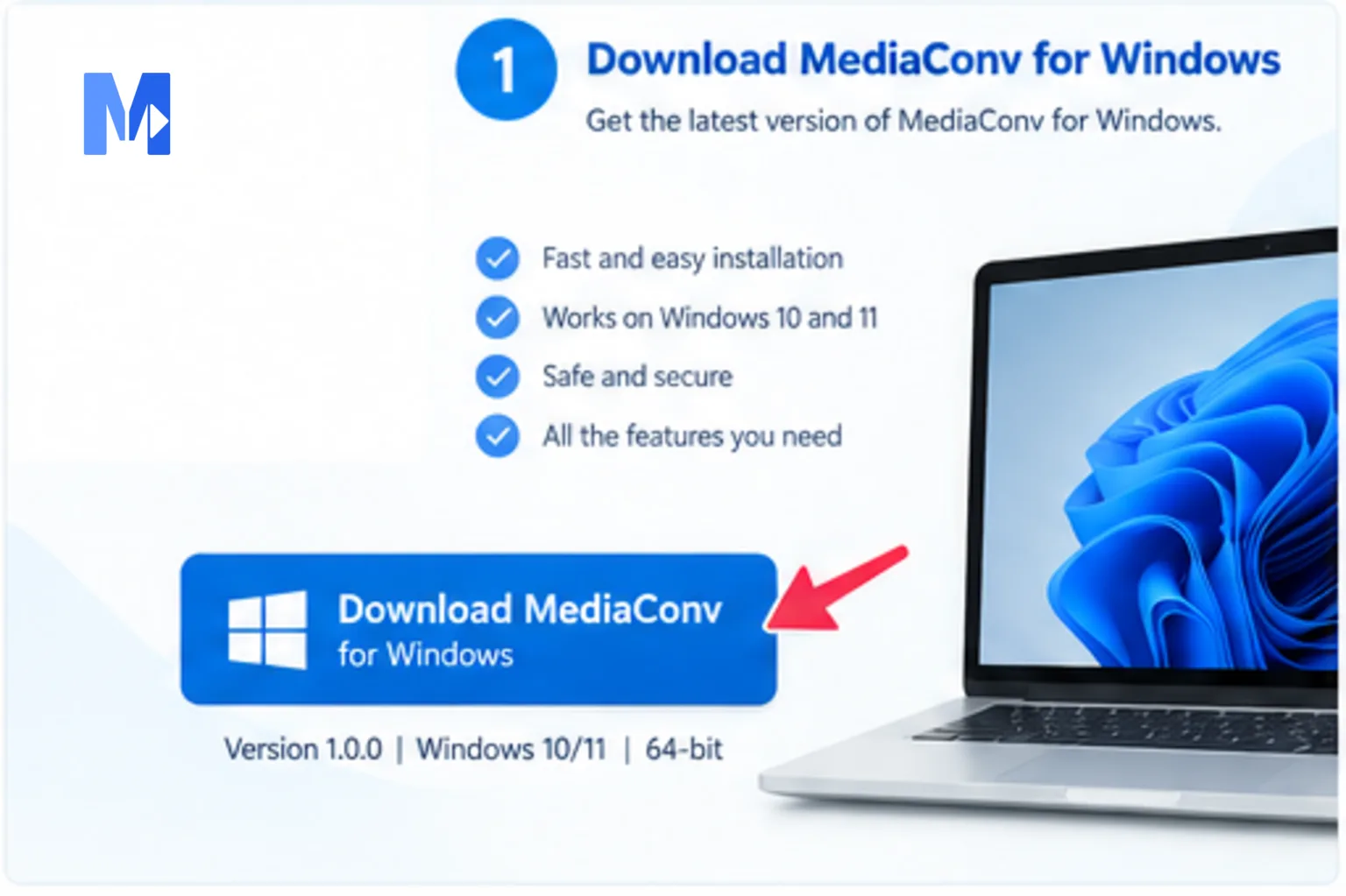 View full size
Download the official MediaConv installer from this page.
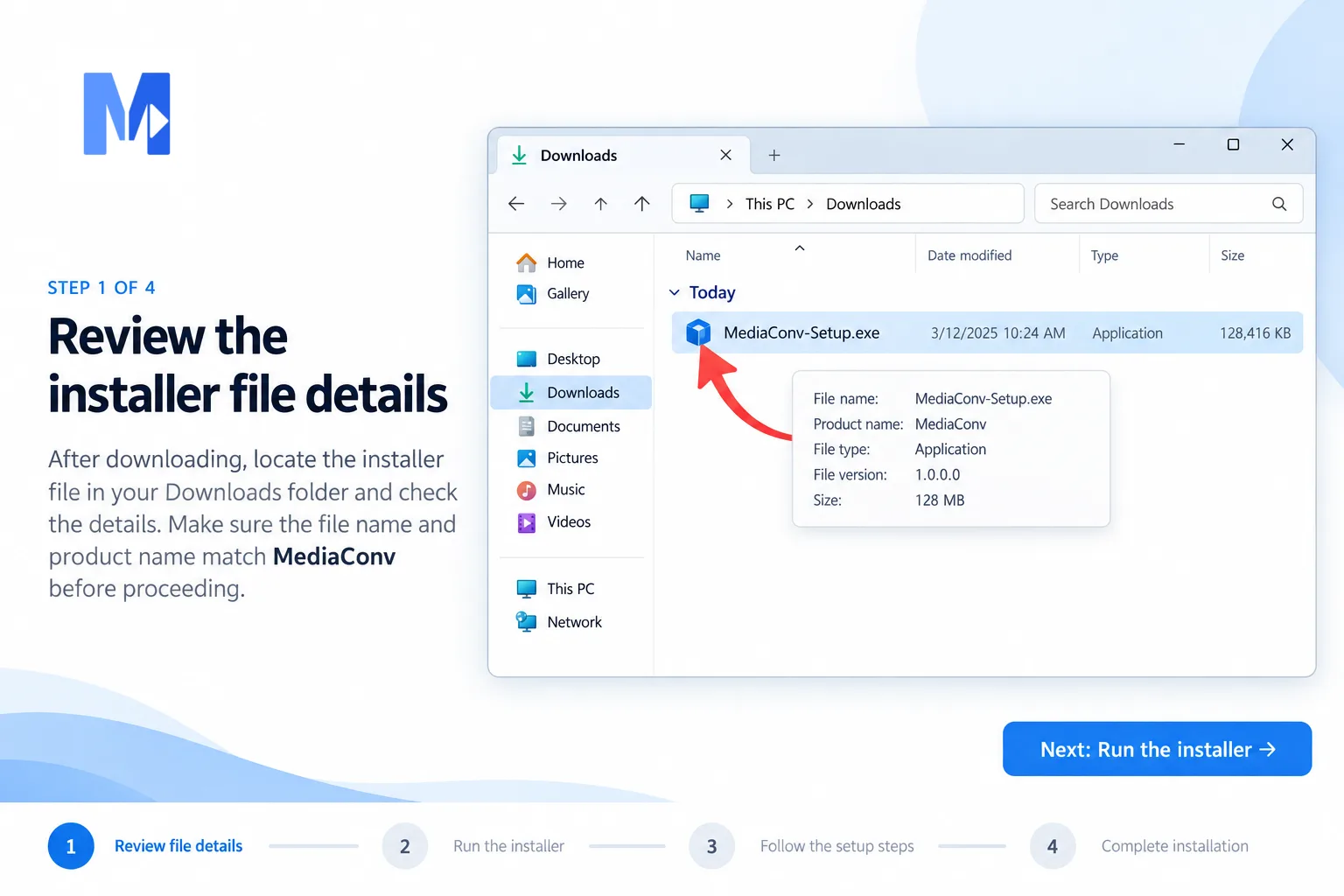 View full size
Open the downloaded file from your Downloads folder.
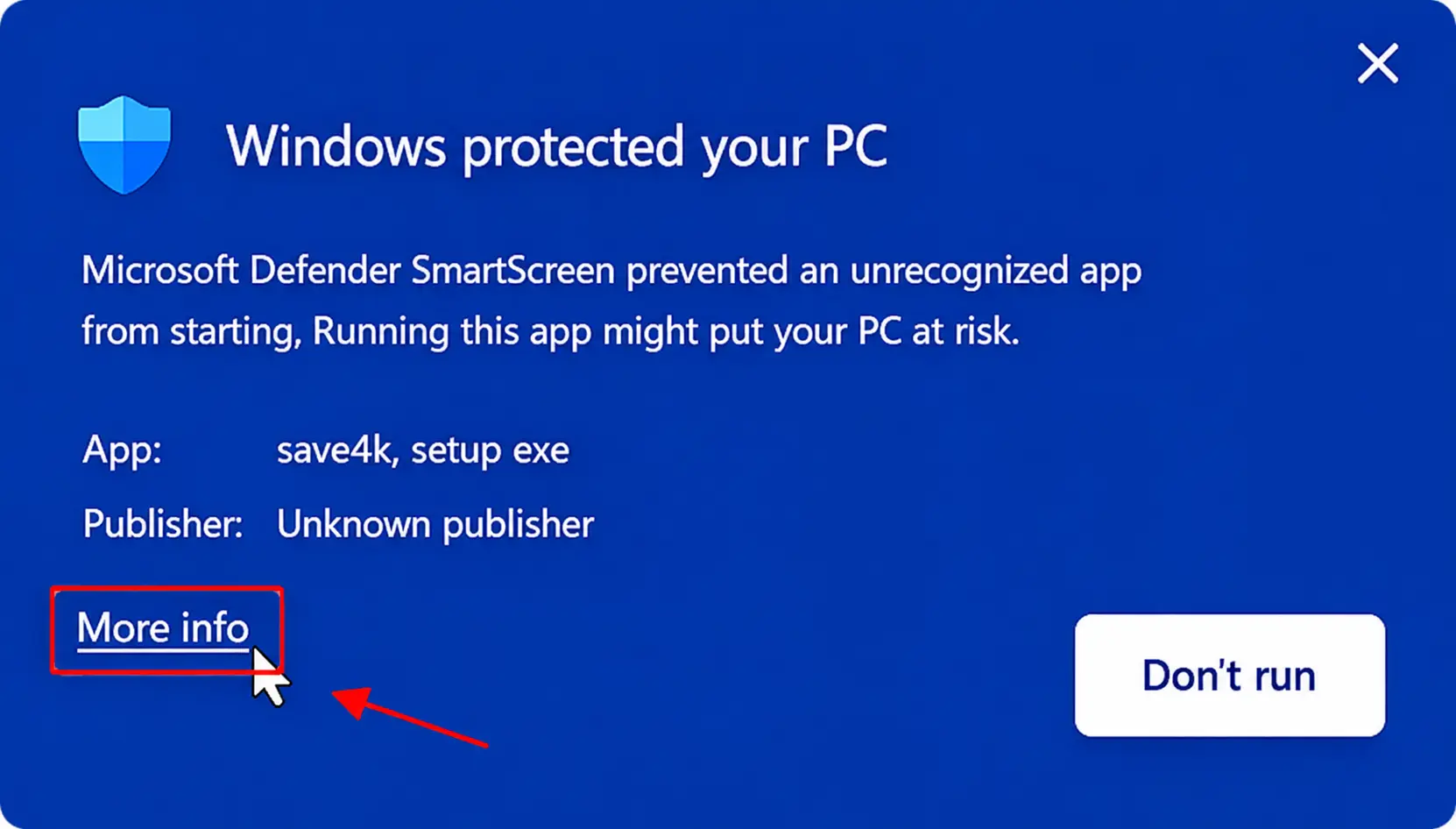 View full size
Review the security information before continuing.
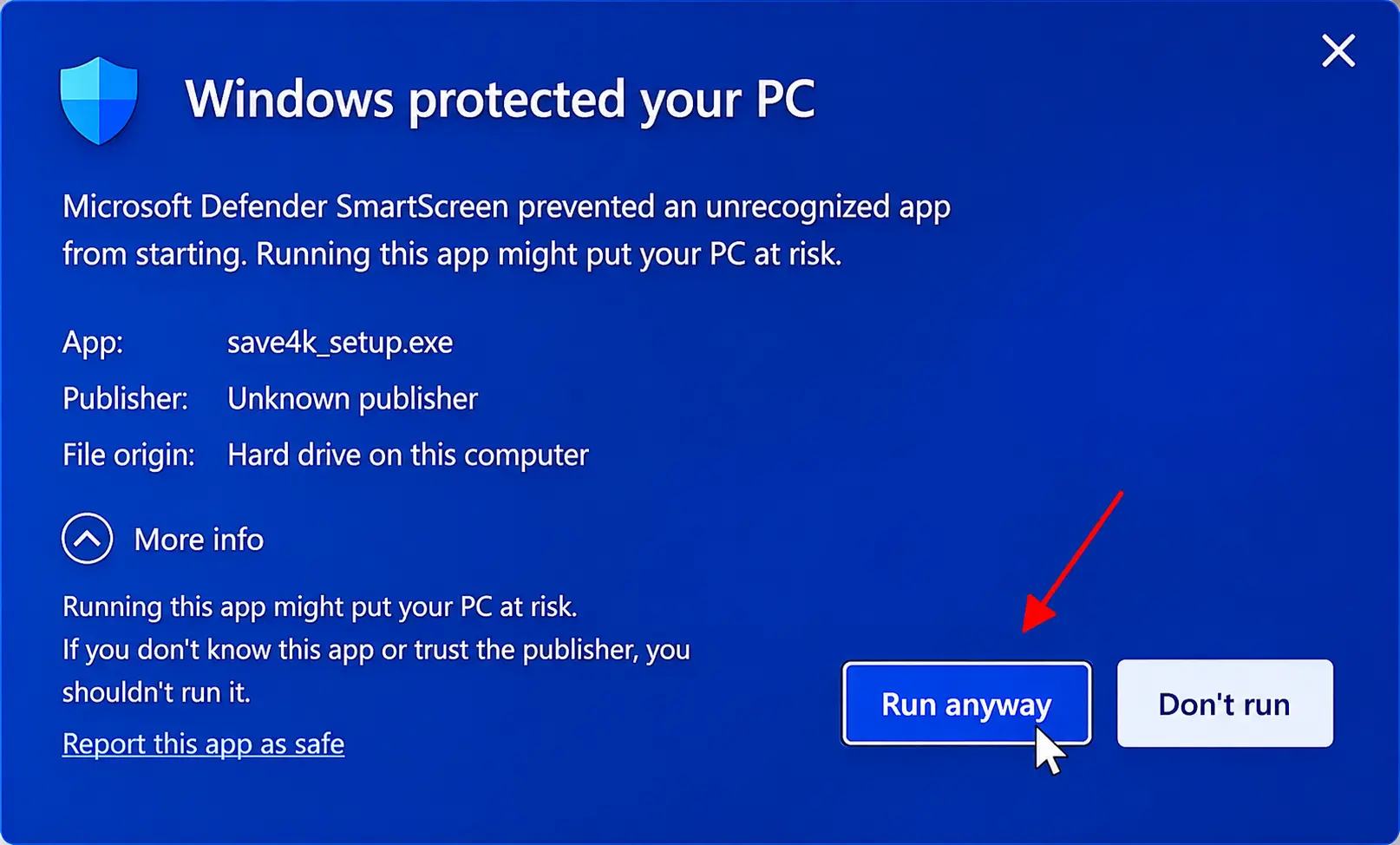 View full size
Confirm the publisher and continue only when the details match.
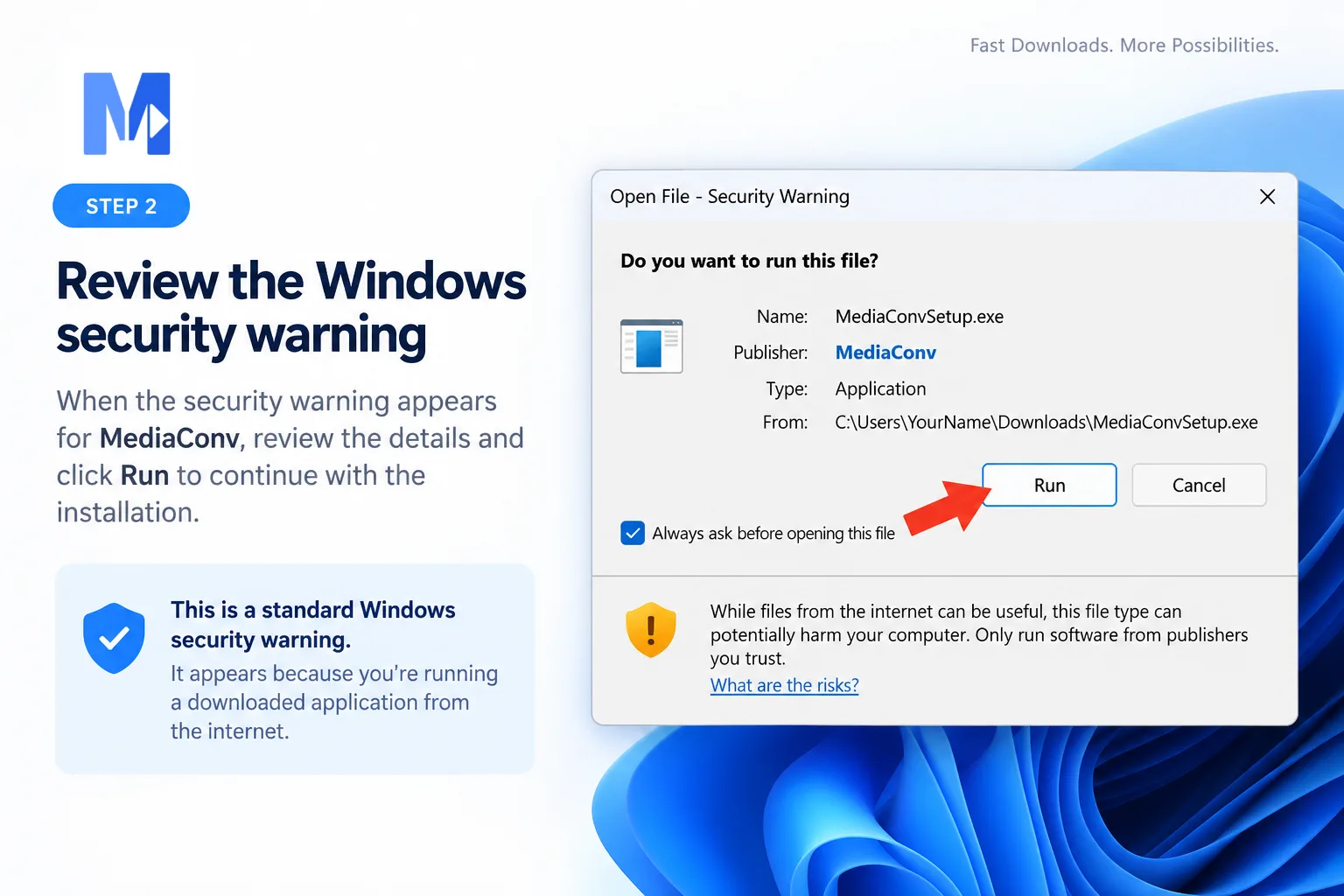 View full size
Accept the licence terms to continue setup.
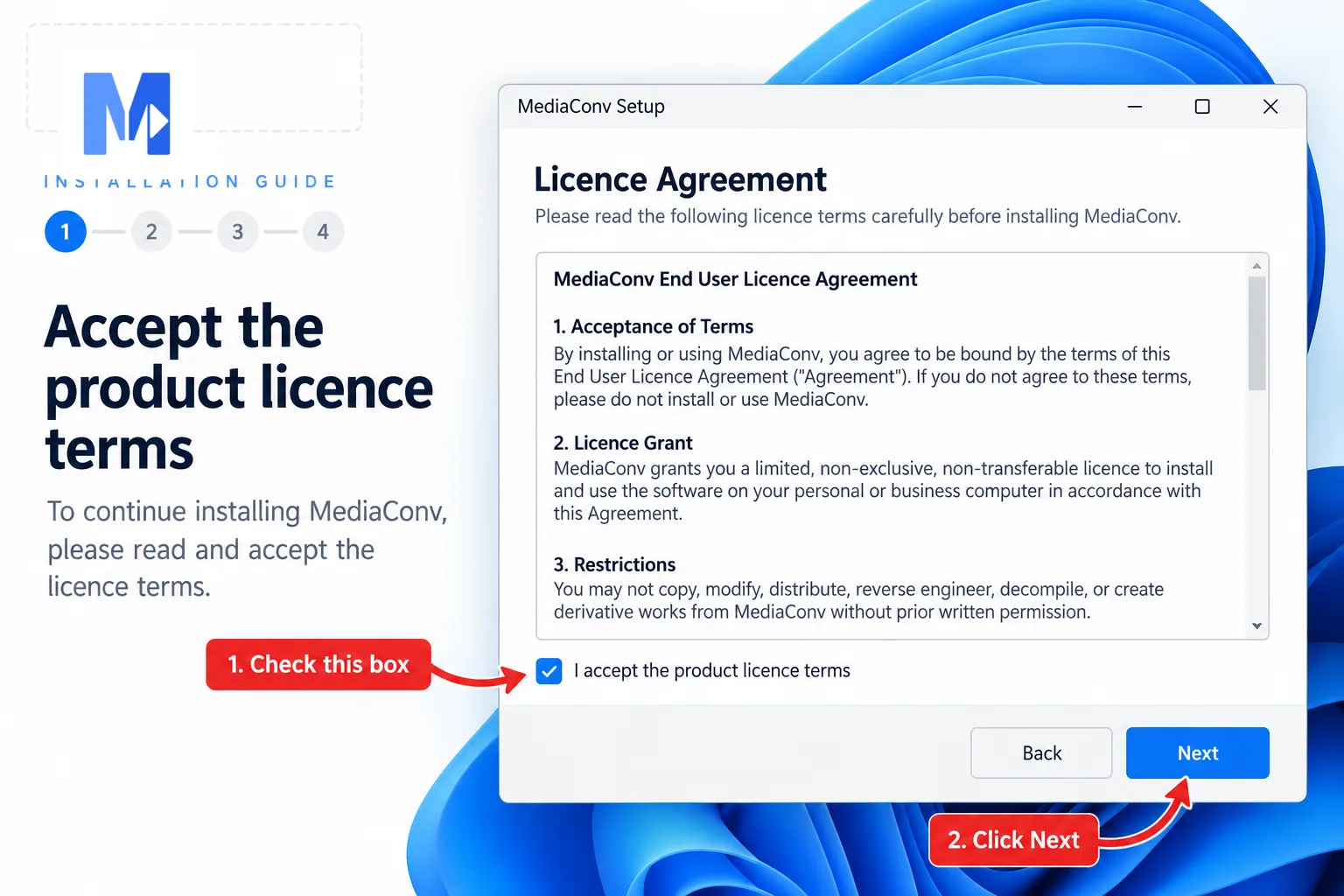 View full size
Choose the installation folder or keep the default location.
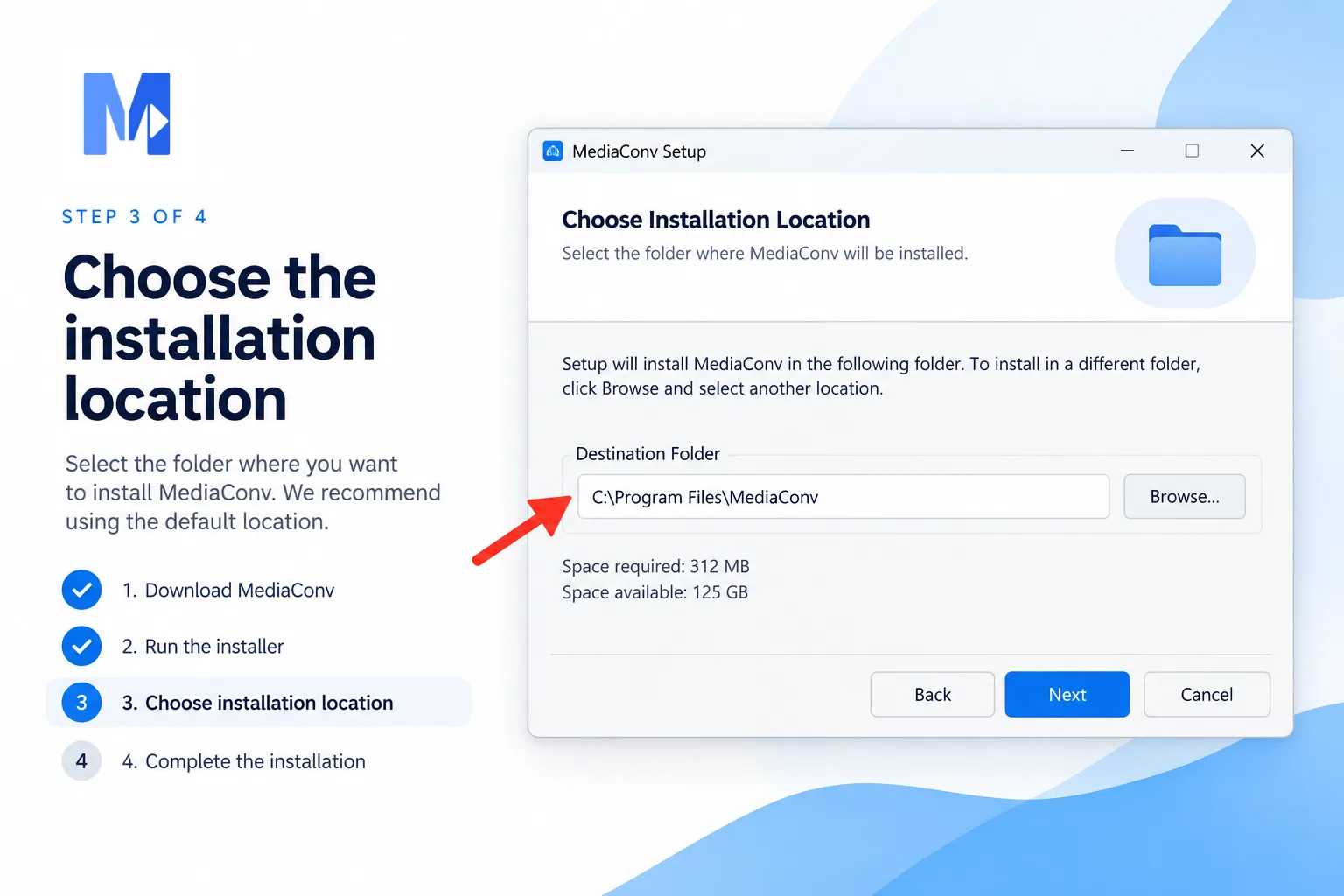 View full size
Review optional shortcuts and additional setup choices.
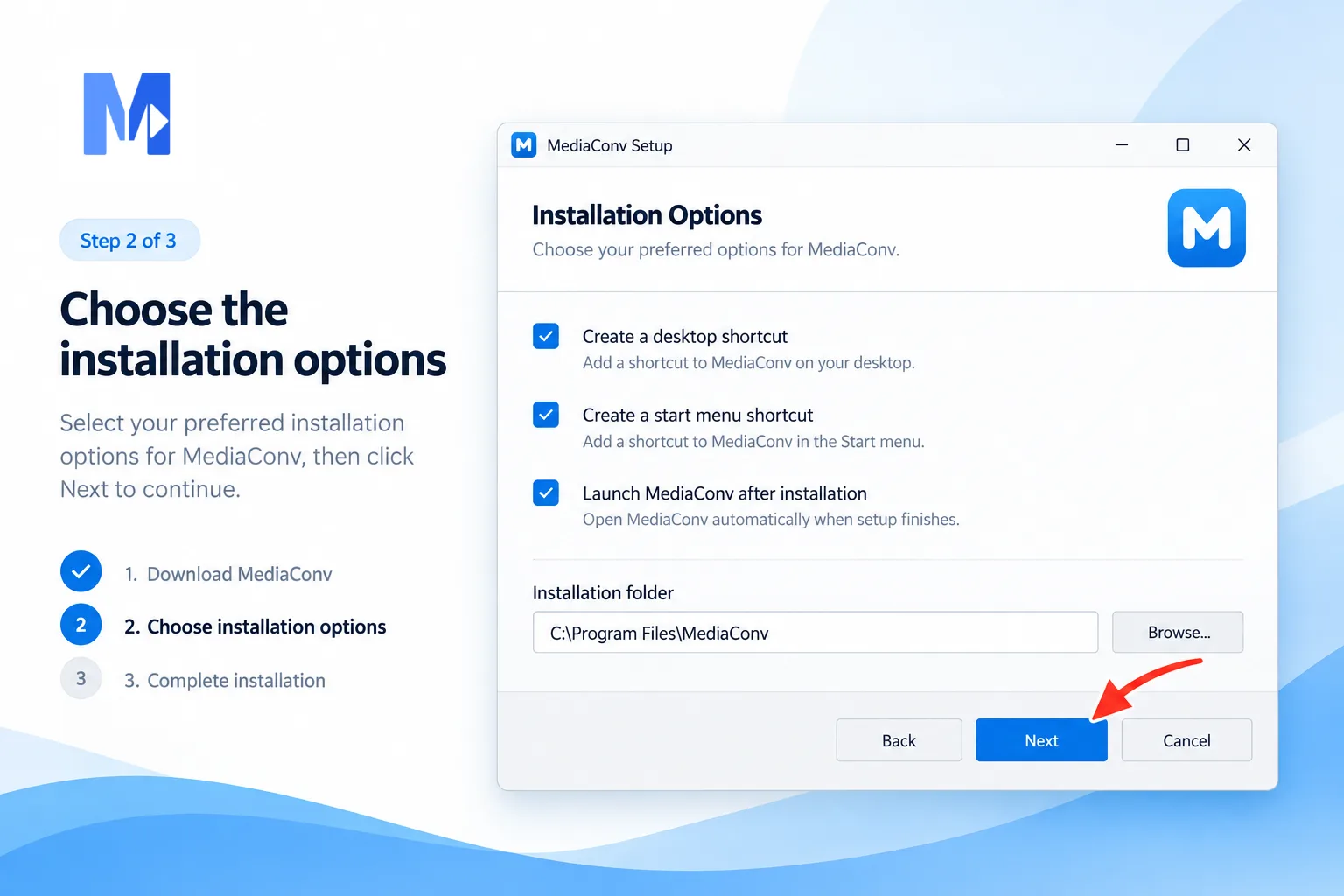 View full size
Start the installation and wait for the progress to finish.
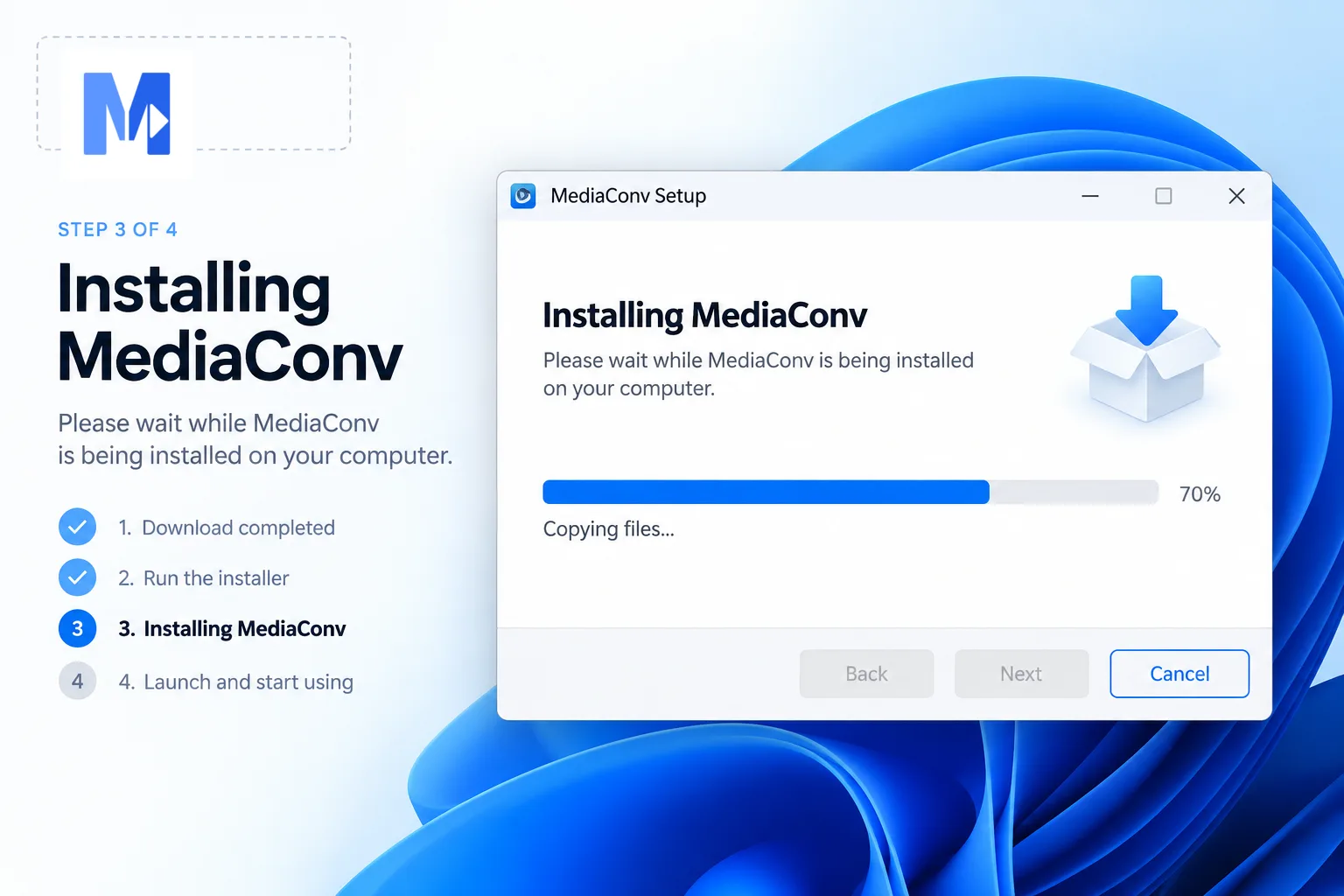 View full size
Finish setup, then launch MediaConv.
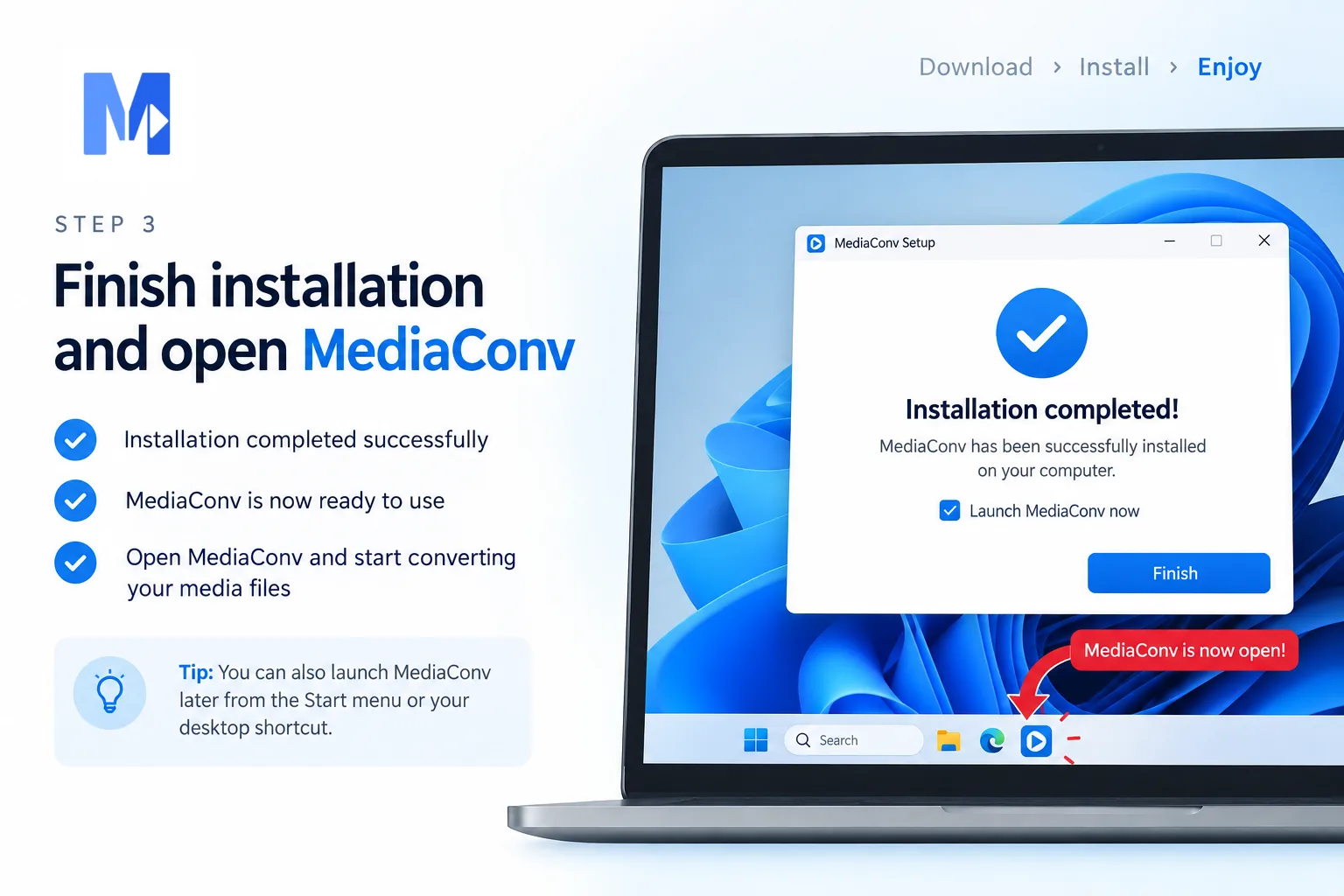 View full size
Complete this installation step before continuing.
Windows 10 or later (64-bit).
Download only from this official MediaConv page and check the release details before opening a file.
Media files stay on your device and are saved to the destination folder you choose.